My Speedbox is not working or reading wrong!
If you are running GPS only:
- Verify that the GPS antenna is mounted on the dash, or under fibreglass. It will not work if it is under metal, or inside a building.
- The magnetic side of the antenna must be facing down.
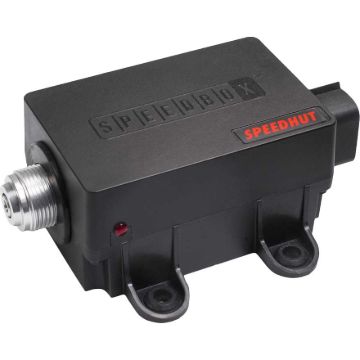
- Ensure the red light on the side of the Speedbox is solid. If it is blinking, the GPS signal is not acquired. It shouldn't take more than 5 minutes to acquire a signal if installed properly.
- Press the button to enter Speedbox offset to see if the pointer moves, then turn it off without pressing button again. This verifies that the motor is working and has power.
If you are running VSS:
- The Speedbox will default to GPS if connected, with VSS as a fallback.
- The Speedbox must be driven over 25 MPH with GPS connected for a couple of miles to calibrate the VSS signal
- If it is still reading off, set the Speedbox offset. Press the button and the pointer will move up to around 60 mph / 96 kmh. Then press and hold the button to move the pointer to exactly 60 mph or 96 kmh. Releasing and holding the button again will change movement direction. Release the button for about 5 seconds to exit the offset setting and resume operation.
- Verify that your Speed sensor is wired properly, and test it if possible. You will need an oscilloscope or another gauge to test the sensor.
If it is still reading lower, disconnect the speed cable from the speedometer and try to spin the driver by hand to feel for binding. It should spin smoothly.
How do I know which speed cable to get?
There are two styles of speed cable: Thread on and clip on.
You can inspect your current speed cable, if it has threads then you need a thread on. If there are no threads, you need a clip on.
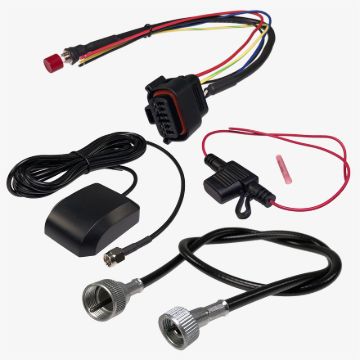
We have some speed cables for select makes, if yours is not listed you may need to get a custom speed cable. You can order a Speedbox with no cable.
Deluxe Speedometer and Cable services in Colorado makes all our Speedbox cables, you just need to mention it's for a Speedhut speedbox.